Syntax highlighting issue with ReSharper
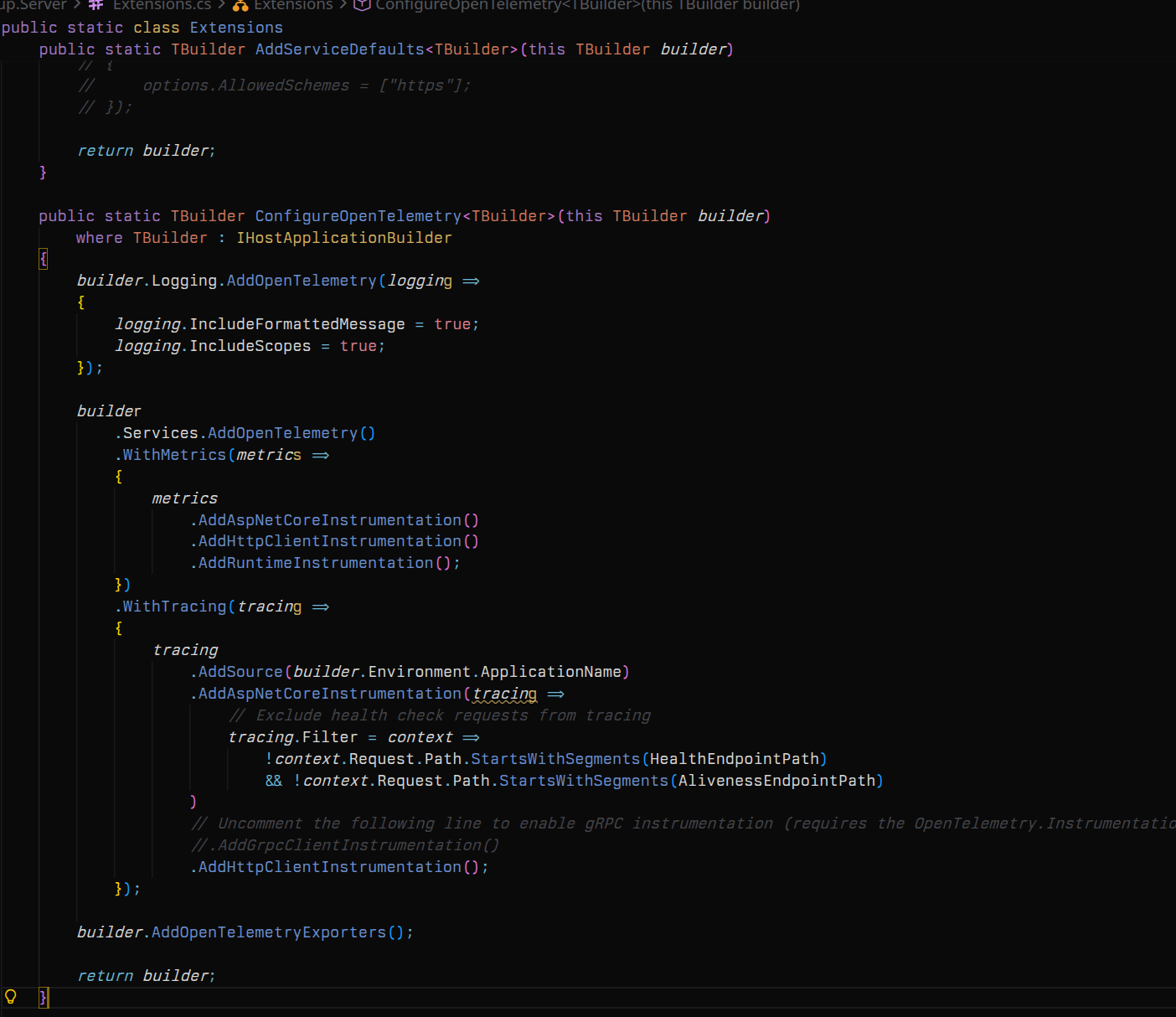
Hello, I’d like to report an issue I’m having while using this lovely theme in VSCode alongside the ReSharper extension from JetBrains. In the image I attached, we can see some tokens aren’t properly highlighted, and that their last character also has an incorrect font variation.
It occurs across all theme variations, and it’s quite annoying. I hope it gets fixed.
Thank you!
Log in to comment and vote
Comments4
vira
Jan 28
Hello there, we’re unable to replicate your color issues with ReSharper
0.0.18and Vira Theme2026.1.2Are you sure there are not other extensions that may interfere with the syntax highlighting?Claudio
Jan 28
I don’t think so…
I’m running the same versions. One “quirk” I could point out is that on the initial load of VSCode things do look as they should:
ReSharper hasn’t initialized yet in here.
So I guess it might be a problem with ReSharper itself?
vira
Jan 31
Yes, extensions are almost always the cause of any syntax highlight issue. The Vira Theme can only assign colours to syntax tokens like variables and numbers but it can’t assign those tokens to code (which is handled by Visual Studio Code) and therefore the text colour. As you can imagine, we can’t support third-party language extensions and expect everything to work perfectly (many plugins do the same thing in different ways).
We suggest sticking to the built-in language support or trying a different extension.
Claudio
Jan 31
Gotcha, this helps narrow down the problem, and I agree, you cannot support every possible extension.
Now I would like to try and report this issue to JetBrains in hopes that they can help fix it or at least provide a setting to delegate syntax highlighting to a different extension.
Thank you all for your help and patience, much appreciated!